Buy YouTube Subscribers
Subscribers for your YouTube channel, added gradually once the order starts. You paste the channel link; nobody signs in to your Google account.
- No password
- Placed within minutes
- You choose the quantity
- Refill shown per service
Pick the platform you want to grow
Pick a platform, then what to grow and how many. Paste the link and order.
Loading…
What every order of YouTube subscribers comes with
The order section above takes care of the rest.
The service
Subscribers go to the channel. Views, likes and shares for one video are in the order section above.
youtube.com/@ followed by your handle, or the youtube.com/channel/ address. Copy it from your channel page.
Placed within minutes
The order is placed with the service you picked within minutes of payment.
How many
Any quantity within the limits of the service you pick. On a new channel, start small and order again once the first order completes.
Pick a service
Choose one from the list in the order section. Each row shows its price per 1000, order limits, and whether it has refill and cancel.
Help on the order page
Open a ticket from your order and support replies there.
YouTube subscribers at a glance
The subscriber count sits under the channel name on every watch page and next to the channel in search. For someone deciding whether a video is worth ten minutes, it is the quickest signal there is.
Subscribers do not add watch time. If you are working towards monetisation, YouTube reviews the channel, and the watch hours still have to come from people who watch.
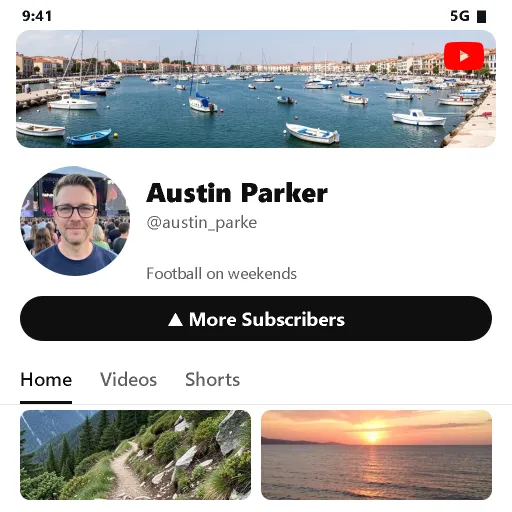
Two things to check on the channel
- Subscriber count visible. In YouTube Studio, under Settings, Channel, Advanced settings, keep "Display the number of people subscribed to my channel" ticked. The delivery service reads that number to see where the order starts.
- Handle unchanged. A new handle gives the channel a new link, and the order keeps using the old one.
Neither needs to stay that way after the order completes.
| You paste | Channel link |
|---|---|
| Channel | Public, subscriber count shown |
| Quantity | Any amount within the limits of the service you pick |
| Order placed | Within minutes of payment |
| Progress | On your order page |
| Google login | Never asked for |
Other YouTube services
| YouTube views |
| YouTube likes |
| YouTube shares |
Will buying YouTube subscribers help?
Worth reading before a first order.
An order does
- Raise the number of YouTube subscribers on your channel
- Give a new channel a starting point
- Arrive in stages, with progress on your order page
An order does not
- Bring replies, buyers or reach by itself
- Stay the same forever: platforms remove accounts, and counts can drop
- Come with a refill, unless the service you picked says Refill
How we place your order
What happens between Order now and a finished order.
You pay
Checkout asks for an email for the receipt and the order page. The service, the channel link and the quantity are already filled in.
We place it within minutes
The order is placed with the service you picked, automatically, within minutes of payment.
It arrives in stages
The channel must stay public until the order completes. Your order page shows when it starts and when it is done.
How to choose a service from the list
The order section lists every service we have for this platform and metric. Each row is a separate delivery service.
- Cheapest first. The list is sorted by price per 1000, lowest at the top.
- Check refill and cancel. Each row says whether the service has a refill and whether an order can be cancelled. If drops matter to you, pick one marked Refill.
- Check the limits. Each service has its own minimum and maximum quantity. Pick one whose limits fit the number you want.
- Search by name. Type a word from the service name to narrow a long list.
Still deciding?
Start with a small quantity of YouTube subscribers, see it arrive, then order more.
Common questions
What buyers ask before a first order. Anything else: open a ticket from your order page.
Why did my subscriber count drop?
YouTube regularly removes accounts it counts as spam, and the subscriptions they made disappear with them. Refill is available only on services marked Refill in the list, and only within that service’s refill window; services marked No refill have none. If drops matter to you, pick a service with Refill.
Do the subscribers watch my videos?
No. A subscriber order adds subscribers. Views and likes are separate services ordered on a video.
Will this get my channel monetised?
We cannot promise that. YouTube decides who joins its Partner Program and looks at more than the subscriber count.
Can I order for a brand-new channel?
Yes. The channel has to be public with its subscriber count shown; it does not need any videos for a subscriber order.
Do you need my password?
No. Paste a public link at checkout and nothing else. Nobody logs in to your account, and nothing asks for a login code.